
LeakBot
LeakBot LtdHouse & Home
4.8631.00 Reviews
- Version
- 6.4.0.9.3
- Installs
- 100.00K
- Age Rating
- Everyone
Screenshots
Our Review of LeakBot
 Analysis by Appyee
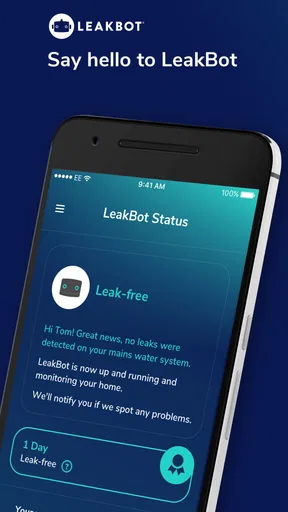
Water damage is one of those household problems that is easy to ignore because the first signs can be hidden behind a cabinet, under a floor, or inside a wall. I found LeakBot interesting because it approaches that worry as a monitoring task rather than something you only investigate after a visible puddle appears. It is a free House & Home app from LeakBot Ltd, designed to work with the company’s leak-detection setup and help people notice unusual water use sooner.
My overall impression is that the app makes the idea of watching for leaks feel less intimidating. The interface is aimed at ordinary household use, not at plumbing experts, and the central purpose is easy to understand. At the same time, it is important to see it as part of a wider detection system rather than a magic repair tool. It can help you react earlier, but it does not replace checking pipes, appliances, valves, or the building itself.
How clearly the app presents information
The strongest part of the experience is the straightforward purpose. When I open a home-monitoring app, I want to know quickly whether everything looks normal and whether I need to do something. LeakBot is built around that kind of decision-making instead of burying the user under technical water-flow terminology.
That simplicity matters for people who are not comfortable with complicated smart-home dashboards. A homeowner checking the app after work should not need to understand plumbing diagrams or interpret a long stream of raw sensor readings. The useful question is usually practical: is there a reason to investigate the water system now? LeakBot’s focus makes that easier to grasp than a general-purpose home automation app filled with unrelated controls.
The app is available at no charge, and its Everyone content rating makes it approachable for a household where several people may need to understand an alert. The developer is LeakBot Ltd, and the Android release currently identified as version 6.4.0.9.3 supports Android 7.0 and later. That older operating-system support can be helpful if a family keeps a spare phone for home duties instead of using its newest device.
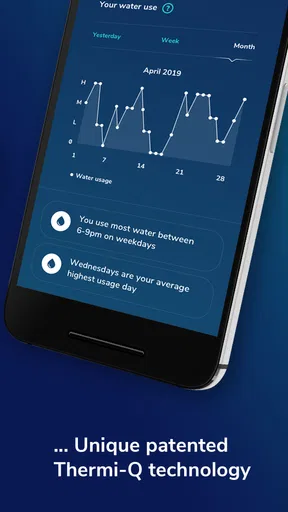
I also appreciate the difference between information that is useful and information that merely looks technical. A leak-monitoring tool should help someone decide whether to inspect a toilet, washing machine, boiler area, or supply line. If the screen encourages that next step, it is doing its job. It is less useful when it becomes another chart that people check once and then forget.
For someone with reduced vision, the most important practical test is whether the main status and any warning can be understood without relying on tiny visual details alone. I would still recommend increasing the phone’s system text size and display scaling where needed, then checking that the most important messages remain comfortable to read. A clear notification is valuable only if the person receiving it can distinguish normal status from a warning without strain.
Navigation also benefits from a simple routine. Rather than exploring every screen repeatedly, I would use the app in three steps: check the current condition, read any alert carefully, and then inspect the relevant area of the home. That workflow reduces the need for precise tapping and makes it easier for another household member to take over if the primary user is unavailable.
Useful for shared household routines
Leak detection is rarely a one-person responsibility. In a rented flat, one person may notice the alert while another can reach the stopcock. In a family home, someone might be away when an unusual event occurs, leaving a partner or relative to investigate. The app is most useful when everyone agrees in advance who checks what and who knows where the water shutoff is.
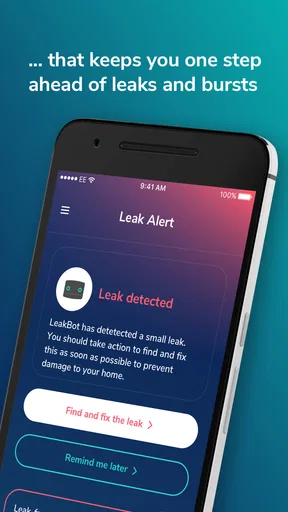
A realistic example is a washing machine running while you are out shopping. If the system raises a warning, the app can give you a reason to contact someone at home or return and inspect the appliance area. That is more actionable than discovering the problem hours later through a damaged floor or a neighbour’s complaint. The app does not remove the need for judgment, but it can shorten the time between an abnormal event and a human response.
Another good routine is to check the app after a change in the home, such as installing a new appliance or returning from a long trip. A quiet house is not automatically a safe house: a small leak can continue while nobody is using taps. Looking at the monitoring status before leaving and after returning gives the app a defined place in household habits instead of treating it as background technology.
Access across different abilities and situations
LeakBot’s appeal is not limited to people who already use smart-home products. Older adults may value a focused tool that deals with one serious household risk, while a busy caregiver may want a quick way to check whether a property needs attention. Someone who has difficulty hearing could also benefit from relying on visible in-app information rather than expecting an audible warning to be noticed.
People with motor difficulties may find a short, purpose-driven workflow easier than a system that requires many small controls. The best approach is to avoid unnecessary repeated checking: open the app when there is a reason, read the status, and follow a prepared response plan. If a family member assists with physical inspection, the person using the app can still participate in the decision without needing to crawl under appliances or reach awkward valves.
There is a useful distinction here between digital access and physical access. A person may be able to read an alert perfectly but still be unable to reach the leak source or shut off the water. In that case, LeakBot can support awareness, but the household needs a second plan involving another person, a building manager, or a plumber. I would treat the app as an early-warning layer, not as a complete accessibility solution for emergency response.
Sensory context matters too. A phone alert can arrive while the user is driving, wearing headphones, sleeping, or working in a noisy room. I would not assume that one notification channel is enough for every person or every situation. Anyone who depends on timely warnings should review the phone’s notification behavior and create a household backup arrangement, especially when the property is empty for long periods.
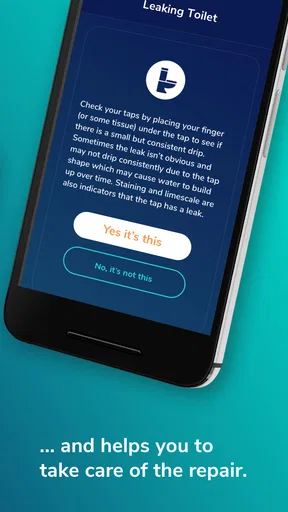
The app is also more useful when the person receiving a warning understands the difference between an alert and proof of a major failure. A notification should prompt a calm check of likely sources rather than immediate panic. Look at toilets, taps, visible pipe joints, water heaters, and appliances in a sensible order. If the warning continues or there is visible damage, shutting off the supply and seeking professional help becomes more important than spending time interpreting the app.
Where the usual alternatives fit better
The usual alternative is simply noticing a leak yourself, checking the water meter occasionally, or relying on a basic alarm placed near a washing machine or sink. Those methods can be inexpensive and easy to understand, but they are often local and reactive. A puddle alarm may detect water only after it reaches the floor, while a manual meter check depends on someone remembering to perform it.
LeakBot is better suited to people who want a more continuous monitoring habit and who are willing to keep a connected household system in their routine. It is less attractive for someone who wants a standalone device with no app involvement, or for a tenant who cannot install or maintain the associated equipment. A general smart-home platform may also be preferable if the user wants one dashboard for many unrelated devices, although that broader approach can make a single water warning less prominent.
There is another trade-off with specialist tools: the focused experience can be easier to understand, but it may not satisfy users who expect extensive customization. I would choose LeakBot for the clear purpose of watching household water behavior, not because I want a large collection of automation rules. If your priority is detailed plumbing diagnostics, professional inspection equipment will be more appropriate. If your priority is a simple prompt to investigate unusual activity, this narrower focus makes sense.
Practical barriers before relying on it
The first barrier is that an app alone cannot detect a hidden leak without the wider LeakBot setup being correctly installed and operating. That means the real experience depends partly on the physical environment, the home’s plumbing arrangement, and whether the user can access the relevant equipment. People should think about installation and maintenance as part of the decision, not treat the download as the entire solution.
The second barrier is attention. Monitoring tools are only helpful when alerts are noticed and acted upon. A person who disables notifications, rarely opens the app, or assumes every warning is harmless may gain little protection. I would recommend agreeing on a response plan before an alert occurs: identify the main shutoff, keep a torch nearby, and decide who can inspect the property if the usual resident is away.
A third limitation is interpretation. Unusual water activity can have an innocent explanation, such as a tap left running, a toilet that has just been flushed, or an appliance cycle. The app can point to a reason for checking, but the user still needs context. This is especially important for people who may find an unexpected warning stressful. Clear household instructions and a trusted contact can make the technology much more inclusive than the app by itself.
Older Android support is a practical advantage for some households, but users on older phones should still make sure the device is comfortable to operate and receives notifications reliably. A phone kept in a drawer with a muted sound profile is not a dependable alert device. For people with memory difficulties, placing the app where it is easy to find and pairing it with a simple written instruction may be more useful than expecting them to remember a complex sequence.
The app may not be the right choice for someone who wants guaranteed protection from every kind of water damage. It cannot prevent a pipe from bursting, physically close a valve by itself, or repair a failed appliance. It is also not a substitute for insurance requirements, professional maintenance, or a responsible person checking an empty property. Those limits do not make it pointless; they define the role it can realistically play.
What I would do after installing it
I would begin by making the first check part of a quiet moment rather than trying to set everything up during a plumbing emergency. Read the status, understand what a normal screen looks like, and make sure the people who may receive warnings know what action is expected. Familiarity is especially valuable for users who need larger text, more time to navigate, or assistance from another household member.
Next, I would walk through the home and note the places most likely to matter: the washing machine, dishwasher, toilets, sinks, boiler or water heater, and any exposed pipework. This is not busywork. When an alert arrives, knowing the layout prevents a person from wasting time deciding where to begin. For someone with limited mobility, the same walk-through can identify which checks require help in advance.
I would also avoid treating a quiet period as evidence that the system is unnecessary. Hidden leaks are most troublesome when they continue unnoticed, particularly during holidays, hospital stays, or visits to another property. A trusted neighbour or relative should know how to contact the resident and where the shutoff is. The app can improve awareness from a distance, but a real person still needs to respond when physical action is required.
Finally, I would review the app after any household change. A new appliance, a rearranged utility area, or a change in who lives at the property can alter how useful the monitoring routine is. Accessibility is not fixed: a person recovering from an injury may need someone else to handle inspections for a while, while an older phone may become harder to read over time. The best setup is one that adapts to the people actually living in the home.
My inclusive verdict
LeakBot is a focused House & Home app with a sensible purpose: helping people notice possible water problems before they become obvious damage. Its free price, Everyone rating, and support for Android 7.0 and later make it approachable for a wide range of households. It has also built a strong reception, with a 4.8 average from around 2.6 thousand ratings and more than 100 thousand installs, which suggests that the concept is resonating with many users.
I would recommend it to homeowners and other residents who want an easier way to include leak awareness in their daily routine, particularly if several people share responsibility for the property. It can be helpful for families, older users with a trusted helper, and anyone who spends time away from home. The most meaningful benefit is not that it eliminates plumbing risk, but that it can turn a hidden problem into a prompt for earlier investigation.
I would skip it if you want a completely independent alarm, cannot use the associated physical setup, or expect the app to diagnose and fix every plumbing issue. People with significant visual, motor, hearing, or memory-related needs should also plan support around the app rather than assuming the phone alone covers every part of an emergency.
In my view, LeakBot works best when treated as one accessible layer in a household safety plan. Keep the interface readable, make notifications noticeable, prepare a human response, and remember that an alert is a reason to investigate rather than a final diagnosis. Used that way, it offers a practical form of water-leak monitoring that is more proactive than waiting for a puddle, while remaining honest about the physical and human steps that technology cannot replace.
Verdict
Strengths of LeakBot
- Monitors water leaks continuously without needing cameras or microphones.
- Compact sensor is easy to install near the main water supply.
- Can help detect hidden leaks before they cause extensive property damage.
- Mobile alerts make it easier to react when you are away from home.
- Useful for homeowners seeking extra protection against plumbing emergencies.
Limitations of LeakBot
- Requires compatible LeakBot equipment and an active service connection.
- Performance depends on correct installation and a reliable home network.
- May not detect every slow, isolated, or appliance-specific leak.
- Ongoing subscription costs can make it expensive over time.
- Alerts may cause concern when unusual water use is harmless.
Similar Picks in This Category
View All
Universal TV Remote Control
CodeMatics Media Solutions3.9

AlfredCamera Home Security app
Alfred Systems Inc.4.7

Planner 5D: AI Home Design
Planner 5D4.5

Universal Tv Remote-Cast to TV
One Music Player4.1

Zillow: Homes for Sale & Rent
Zillow Group4.8

99acres Buy/Rent/Sell Property
infoedge.com4.3
Frequently Asked Questions
What is LeakBot and how does it work?
LeakBot is a smart water-leak detection system designed to help homeowners identify hidden leaks before they cause serious damage. The device is typically installed near the home’s main water supply and monitors changes in water flow and pressure. When unusual activity is detected, the companion app can send an alert so you can investigate the issue and take action.
Do I need professional installation to use LeakBot?
In many homes, LeakBot is designed for relatively simple installation on the incoming water pipe, but the exact process depends on your plumbing layout and the model or service available in your region. Some users may be able to install it themselves, while others may prefer help from a plumber. Always follow the manufacturer’s instructions and avoid modifying plumbing if you are unsure.
Does LeakBot detect every type of water leak?
LeakBot is intended to detect abnormal water usage and many hidden or continuous leaks, including problems that may otherwise go unnoticed. However, no monitoring device can guarantee detection of every leak. Very small, intermittent, isolated, or incorrectly installed plumbing leaks may not be identified immediately. It should be considered an early-warning tool rather than a replacement for regular maintenance or professional inspection.
Does the LeakBot app require an internet connection or subscription?
The LeakBot system generally relies on communication between the sensor, its hub or network connection, and the mobile app to deliver notifications and monitoring information. Therefore, internet or compatible connectivity is normally required for remote alerts. Availability of the service, subscription terms, and any insurance-related offer can vary by country, provider, and installation package, so check the current conditions before downloading or ordering.
Is LeakBot compatible with Android and iPhone devices?
LeakBot is designed to work with a companion mobile application for supported smartphones, including many Android and iOS devices. Before installing, check the app store listing for the current operating-system requirements, supported phone models, and regional availability. Keeping the app updated is recommended because updates may improve notifications, security, device pairing, and compatibility with newer versions of Android or iOS.
